Auto-download your Flow librarywith perfect filenames.
Every image at 2K, every video at 1080p, downloaded while you do something else, and every file named to match the prompt list you generated them with.
You already have the list. You wrote it to make these in the first place.
Works with your existing Flow account. Nothing to sign up for.
Same files. Same download. One paste.
See it work.
Real runs, real projects, no mock-ups.
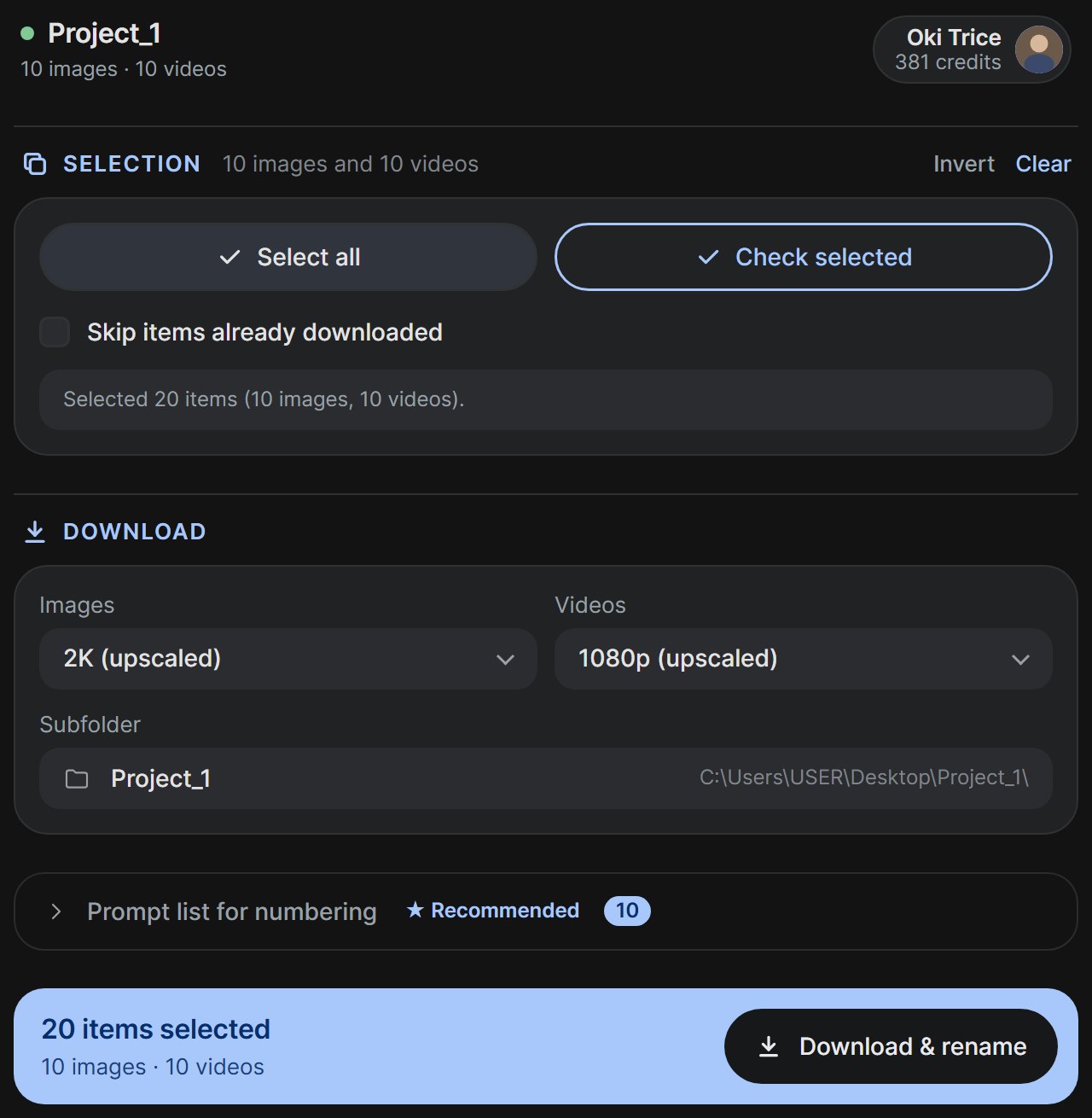
Select. Paste. Press one button.
Twenty items selected, ten prompts loaded, and the button already knows it will rename as well as download.
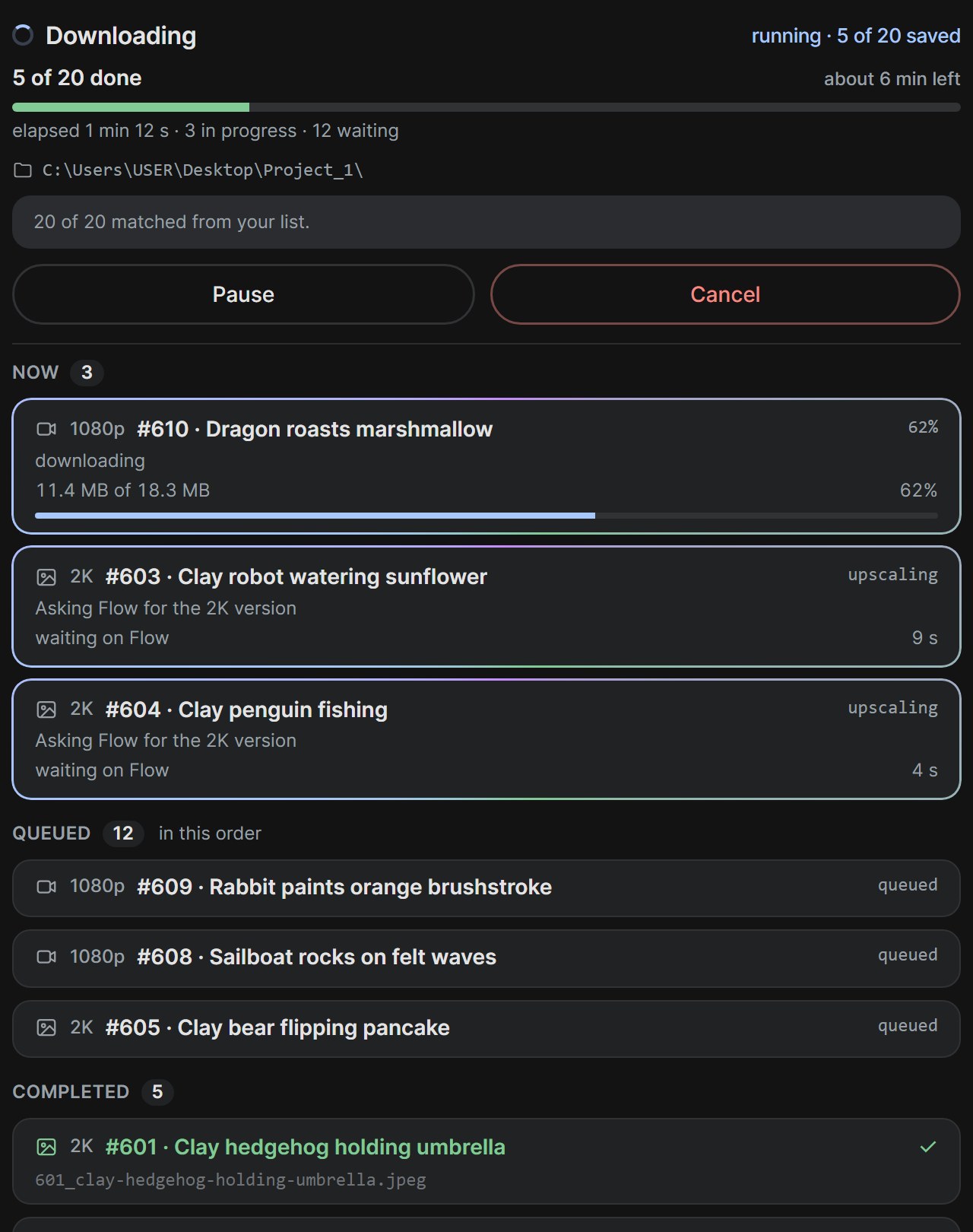
Watch every file move.
What is upscaling, what is downloading, how many bytes, what is queued, and the exact folder it lands in. Or close the panel and come back.
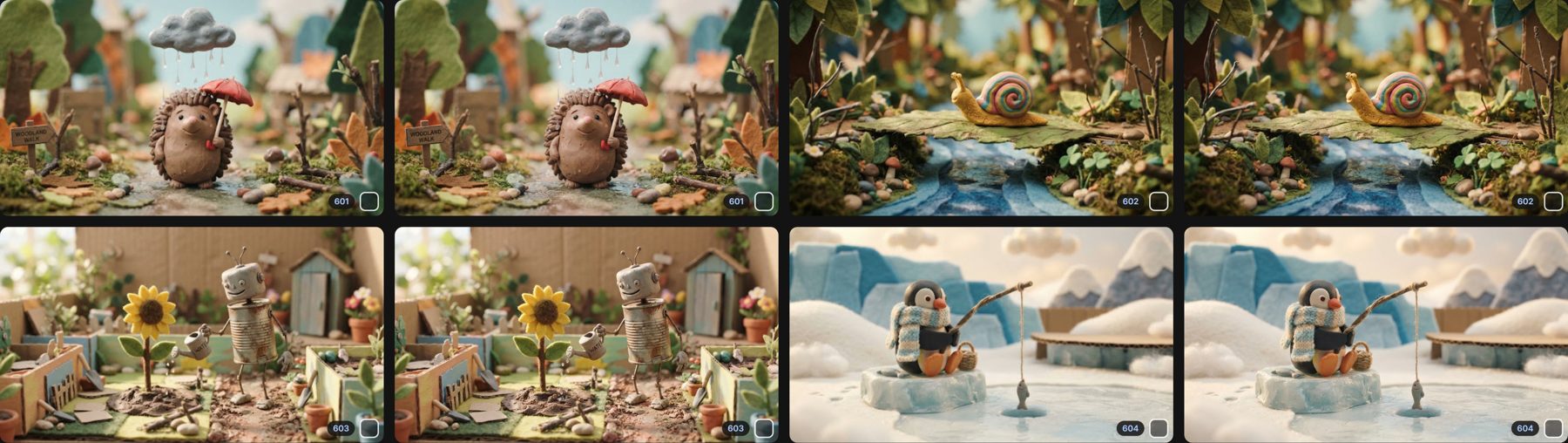
Your project stays numbered.
After a run, every card in Flow carries its number. Next time, no list needed. Undo with one click.
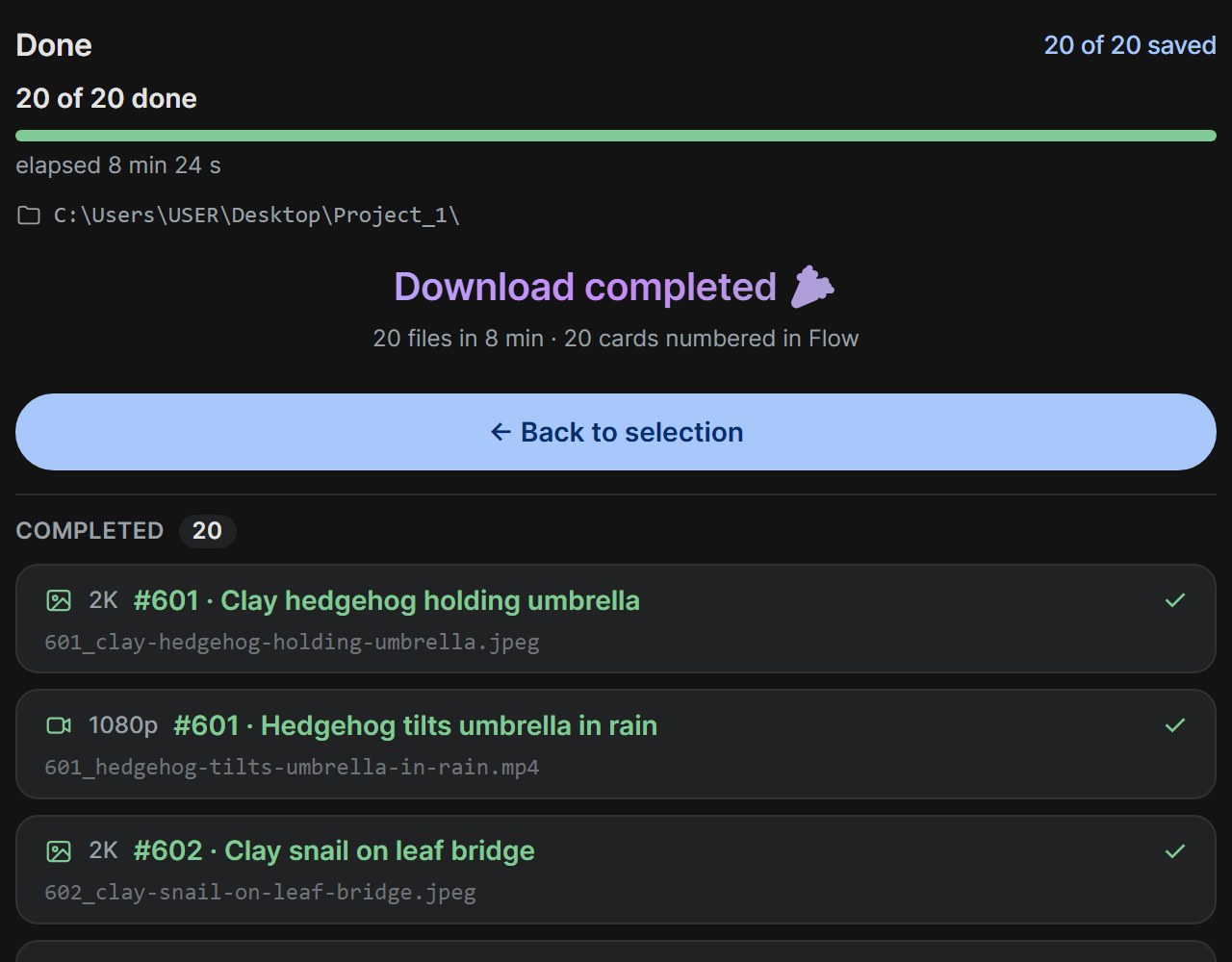
Twenty files. Twenty numbers. Zero renaming.
Images and videos of the same scene share a number and differ only by extension. Interrupted? Resume picks up where it stopped.
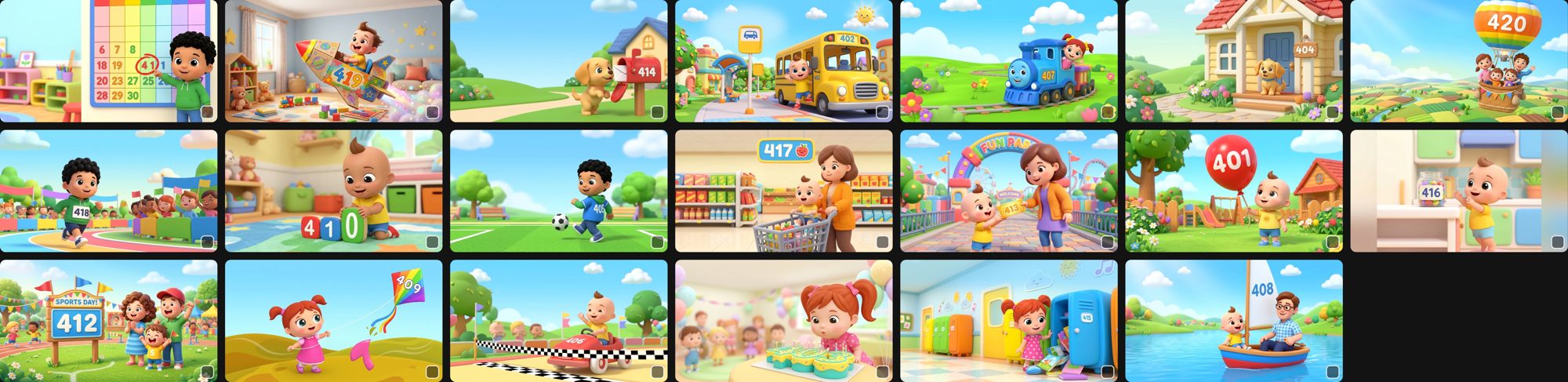
A hundred-scene project, numbered in one afternoon.
The test that settled it: five batches of twenty, every badge matching the number painted into the scene.
No guessing. No AI. Just your own words, matched.
Flow still remembers the full prompt behind every asset you made. FlowGrab reads it, compares it to the list you paste in, and finds the match by text.
Not by position in the grid. Not by a shortened name. Not by something making a judgement call you'd never catch.
It's your list, unchanged
Paste the same prompts you generated with. No reformatting, no tagging, no prep. Numbered lines, a script with Image and Video lines, a text file, all fine.
Uncertainty is marked, never guessed
A prompt it cannot place with confidence gets a pos marker in its file name instead of a wrong number, and the card in Flow is left alone. Everything else numbers itself.
Name them however you want
014.mp4. Or 014_neon-city-rain.mp4. Or your own template, applied to all hundred.
You know this loop.
Right-click. Upscale. Wait. Download.
Ninety-nine more to go. And every file that lands is named something you'll have to decode later.
Flow gives you 1K images and 720p video by default. Everything better is one asset at a time, by hand. Then comes the renaming. That's the evening gone.
Pick exactly what you want
Everything, or just today's batch, or just what's new since last time. Filter in Flow, select in one click.
Actually watch it work
Every other tool goes quiet the second you hit download. FlowGrab shows what's upscaling, what's downloading, how far along, and exactly which folder it's landing in.
Full resolution, every time
2K images. 1080p video. Upscaled and downloaded in one pass, without you touching a single right-click menu.
Respects Flow's limits
Videos upscale one at a time, the way Flow asks. Images run in parallel. Nothing gets throttled, nothing gets lost.
Three steps. Then go do something else.
Select
Tick what you want. Or grab the whole filtered set.
Paste your prompt list
The same one you generated with.
Hit download
Close the panel and get on with your day. Come back to a finished, correctly numbered folder.
Free to start. $1.90 when you need more.
Every download in the free plan is the same full-resolution, correctly named file. The only difference is how many per day.
- 30 downloads a day, images or videos
- 2K images, 1080p videos
- Numbered from your prompt list
- Numbers written back into Flow
- Unlimited downloads
- Everything in Free
- Unlocks the moment you pay, inside the extension
- Or $15.20 a year, four months free
Payments are handled by Lemon Squeezy. Your Flow credits are yours; FlowGrab never spends them for you.
What it doesn't do.
It doesn't generate anything. It doesn't touch your prompts, your credits, or your projects. It doesn't ask for a login.
It gets your own work out of Flow, named properly. That's the whole product.
Stop renaming files at midnight.
Free. Two clicks to install. Works with the Flow account you already have.
Add to Chrome